CoLateral
Design Checker

Quick Beam

Drag-to-edit single beam calculator: supports, point loads and UDL/trapezoidal loads in, exact shear, moment and deflection diagrams out.

Design CheckerDesign aid
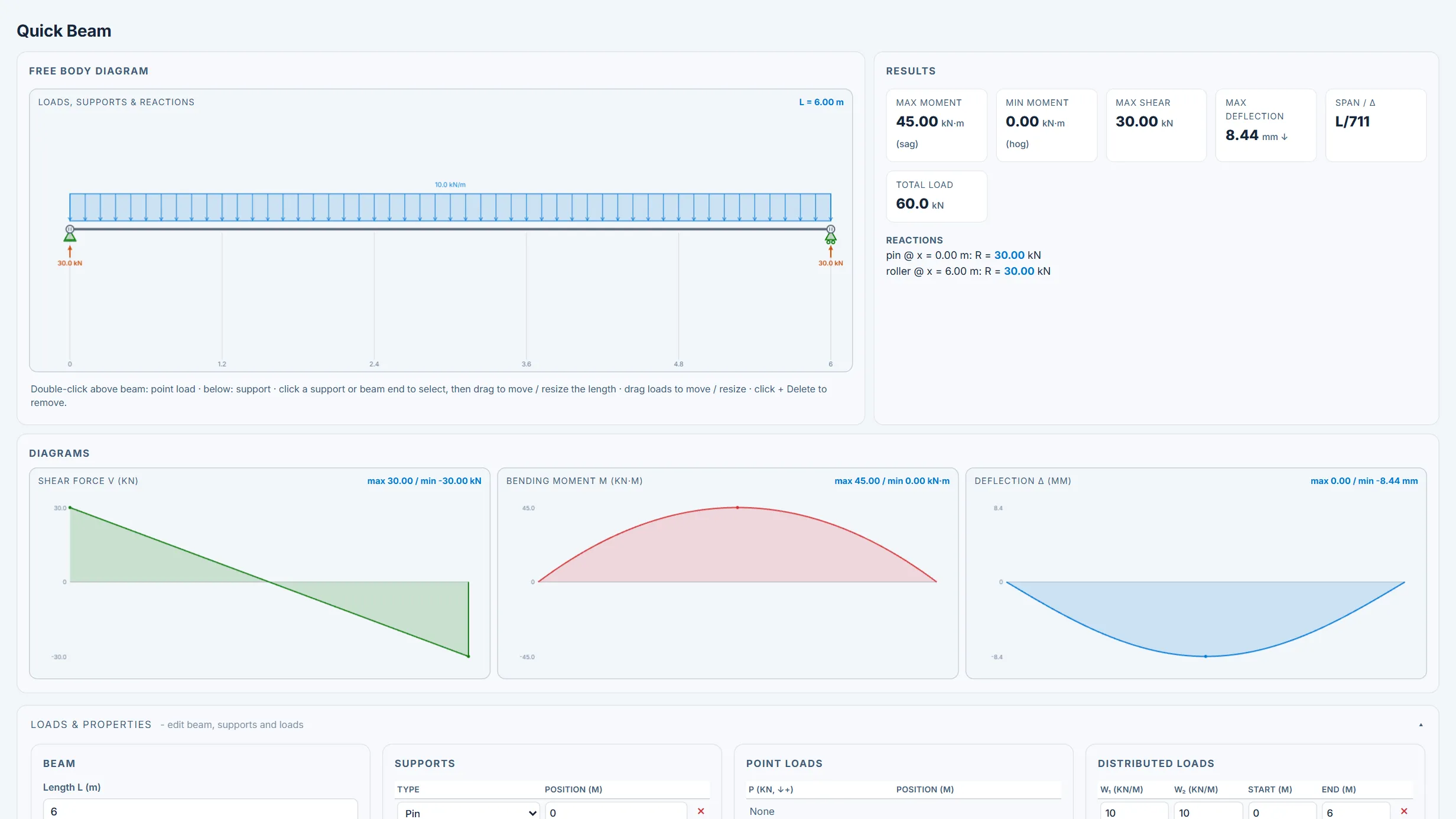
Quick Beam running in the CoLateral workspace
Quick Beam in the CoLateral desktop workspace.

What it does

Fast single-beam shear, bending-moment and deflection calculator with a draggable beam elevation. Place pin, roller and fixed supports anywhere along one span (including overhangs, cantilevers, and multi-span continuous beams), add point loads, uniformly distributed loads, and trapezoidal (linearly varying) loads by typing exact values or dragging them on the canvas. Solves with a first-order elastic Euler-Bernoulli direct-stiffness model (2 DOF per node); internal shear and moment are recovered by statics from the computed reactions so the diagrams are exact for statically determinate and indeterminate layouts alike.

Reports support reactions (and fixed-end moments), peak sagging/hogging moment, peak shear, maximum deflection and span/deflection ratio, and renders live shear, bending-moment and deflection diagrams. Deflection uses an engineer-entered prismatic E and I. CSV and print/PDF export.

What it does not do

Analysis aid only, not a member design check. First-order elastic analysis with no load factors, load combinations, member capacity, lateral-torsional buckling, shear/web stability, axial-flexure interaction, second-order effects, or serviceability code limits. Assumes a prismatic, linearly elastic section with the entered E and I; no shear deformation.

Single beam only (no frames or moment connections between members). All results require independent engineer verification.

How to use it

Use for quick statics - reactions, shear and moment envelopes, and deflection screening - then run member adequacy through the appropriate design tool. Confirm the support model and load cases and obtain engineer sign-off before design use.

Covers

beamanalysisshearbending-momentdeflectionudlpoint-loadstaticsinteractive

Use Quick Beam in your own projects

Every tool ships inside the CoLateral desktop workspace, so a result can stay attached to the project, the drawing, and the review trail it belongs to instead of ending up in a loose spreadsheet.

Outputs are design aids and stay in draft until a qualified engineer reviews and approves them.