What it does
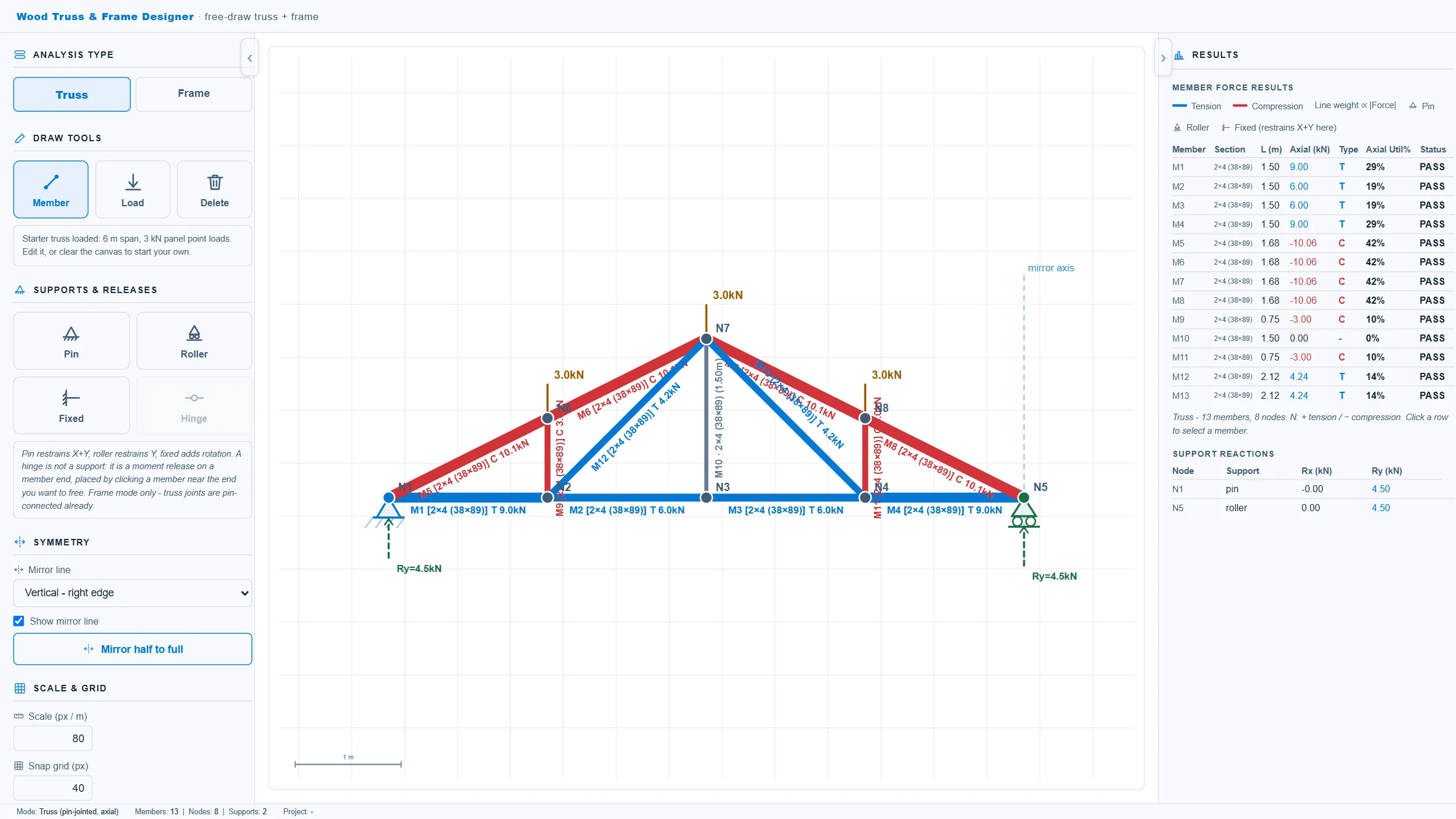
Standalone free-draw 2D structural modeller for wood trusses and rigid frames, sharing the steel tool's free-draw engine. Draw members on a snapping grid, place pin/roller/fixed supports and nodal or member point loads, then analyse as a pin-jointed truss (axial-only) or as a rigid frame (6-DOF FEM with axial/shear/moment diagrams). Fir-L, Hem-Fir, Northern, MSR) with typical dressed dimensional lumber sizes and built-up multi-ply members, a live cross-section preview with A/Ix/Sx derived from geometry, a preliminary phi*F axial and bending utilization screen, and support reactions.
What it does not do
Preliminary screening only. Material strengths are representative CSA O86 style values with NO applied modification factors (KD, KS, KT, KZ, system factors) and must be verified against CSA O86 / NLGA grade tables. Utilization is a simplified phi*F axial + bending check; it does NOT cover column buckling, lateral stability, connections, metal truss plates, bracing, or serviceability beyond the diagrams drawn.
2D analysis only; final truss/plate design remains by the truss supplier or qualified engineer.
How to use it
Use for preliminary wood truss/frame layout, force screening, and member sizing studies. Confirm loads, modification factors, buckling, connections, plates, and bracing against CSA O86 before design use.