CoLateral
Visual Analyzer

Steel Truss & Frame Designer

Free-draw steel truss + frame modeller with a steel section library, live member cross-section preview, axial/shear/moment diagrams, and a preliminary utilization screen.

Visual AnalyzerScreening tool
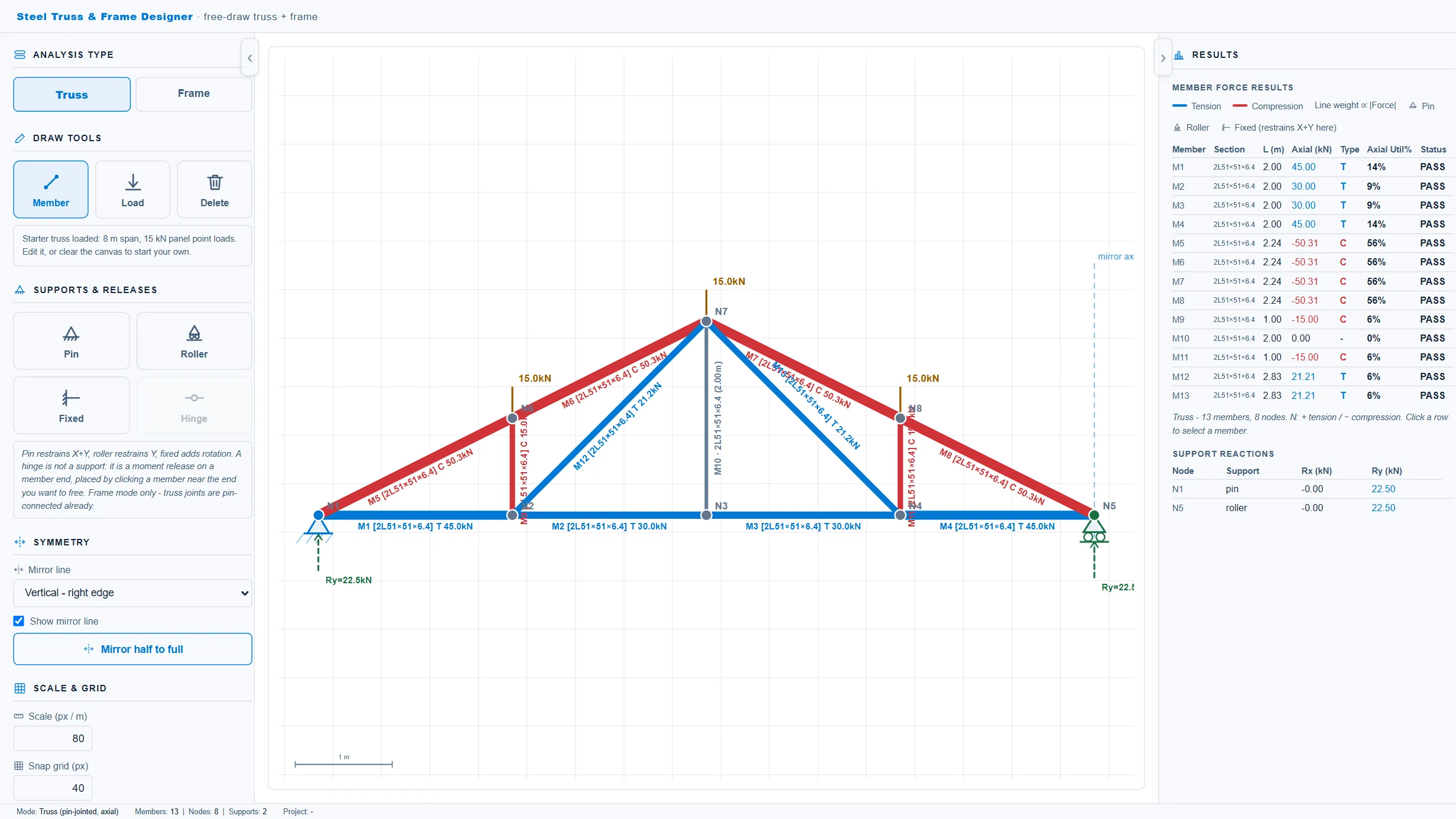
Steel Truss & Frame Designer running in the CoLateral workspace
Steel Truss & Frame Designer in the CoLateral desktop workspace.

What it does

Standalone free-draw 2D structural modeller for steel trusses and rigid frames, extracted from the Frame Analyser's free-draw mode. Draw members on a snapping grid, place pin/roller/fixed supports and nodal or member point loads, then analyse as a pin-jointed truss (axial-only direct-stiffness solver, tension/compression colouring and line weight scaled to force) or as a rigid frame (6-DOF Euler-Bernoulli FEM with axial/shear/moment diagrams). Includes a steel section library (back-to-back double angles, single angles, U-shaped channels, square/rectangular and round HSS, round and flat bars, W-sections, and structural tees) with a live member cross-section preview and A/Ix/Sx derived from the section geometry, plus a preliminary phi*Fy axial and bending utilization screen, and support reactions.

What it does not do

Preliminary screening only. Member utilization is a simplified phi*Fy axial + bending check; it does NOT cover compression buckling, lateral-torsional buckling, section classification, combined-force interaction, connections, gusset/weld design, bracing, or serviceability beyond the diagrams drawn. 20 tables.

2D analysis only.

How to use it

Use for preliminary truss/frame layout, force screening, and member sizing studies. Confirm loads, stability/buckling, connections, bracing, and section properties against CSA S16 before design use.

Covers

steeltrussframefree-drawdouble-anglechannelhsscross-sectionaxials16screening

Use Steel Truss & Frame Designer in your own projects

Every tool ships inside the CoLateral desktop workspace, so a result can stay attached to the project, the drawing, and the review trail it belongs to instead of ending up in a loose spreadsheet.

Outputs are design aids and stay in draft until a qualified engineer reviews and approves them.